Waterproof Anti-Theft 15.6″ Laptop Backpack w/ USB Port
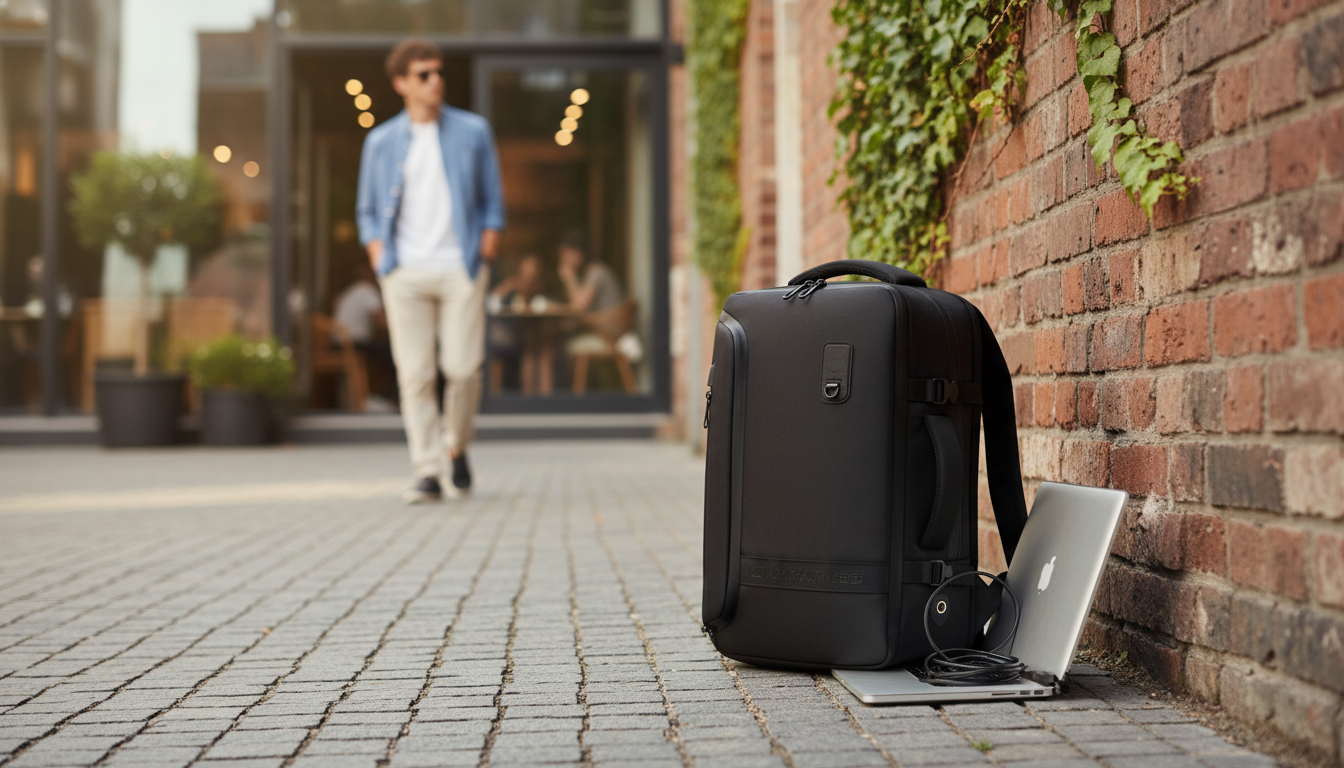
Waterproof Anti-Theft Laptop Backpack with USB Charging – 15.6″ Travel & School Bag
A dependable everyday backpack should protect electronics, reduce carry fatigue, and keep essentials organized while moving through commutes, airports, and campuses. This waterproof anti-theft laptop backpack is built for 15.6″ devices, includes a USB charging pass-through for on-the-go power, and balances security-focused design with practical storage for school and travel.
Who This Backpack Fits Best
- Students carrying a 15.6″ laptop plus notebooks, chargers, and daily essentials
- Commuters who want quick-access organization without leaving valuables exposed
- Travelers looking for a cleaner carry-on setup with a charging pass-through and weather resistance
- Remote or hybrid workers needing a single bag for office days and weekend trips
Core Features at a Glance
- Water-resistant exterior designed to help keep contents drier during rain and splashes
- Anti-theft oriented layout that helps reduce easy access to valuables while worn
- 15.6″ laptop compatibility for common work and school devices
- USB charging pass-through to connect a power bank inside the bag to a cable outside
- Multi-compartment organization to separate tech, stationery, and personal items
Quick Specs and Practical Details
| Feature | What to look for | Why it matters day-to-day |
|---|---|---|
| Laptop capacity | Fits up to 15.6″ | Helps prevent tight packing that can stress corners and zippers |
| Weather protection | Water-resistant outer material | Reduces risk of moisture reaching electronics in light-to-moderate rain |
| Security design | Anti-theft focused access and pocket placement | Discourages quick grab attempts in crowded areas |
| Charging support | USB pass-through (power bank not included) | Keeps phone accessible while power stays protected inside |
| Organization | Multiple sections and pockets | Separates laptop, cables, and small items for faster access |
Anti-Theft Design: What It Helps With (and What It Doesn’t)
- Helps reduce casual theft opportunities by limiting easy access to valuables while the bag is on the back
- Better suited for crowded transit, busy hallways, and tourist areas where quick access attempts are common
- Works best when paired with habits: keeping zippers fully closed, placing wallet/phone deeper inside, and avoiding hanging the bag on chair backs in public
- Not a replacement for dedicated locks or RFID products; security features are most effective as part of a layered approach
Think of anti-theft features as “friction.” They make it harder for someone to reach in quickly, which is often enough to deter opportunistic attempts. For higher-risk situations, keep truly critical items (passport, primary card, medication) in a more controlled place, such as an inner pocket you can monitor closely.
Water Resistance and Protecting Electronics
- Water-resistant materials help with rain, splashes, and wet surfaces, but seams and zippers can still be vulnerable during heavy exposure
- For laptops and tablets, adding a slim protective sleeve provides an extra moisture buffer and reduces scuffs during daily packing
- If carrying in downpours, consider using a rain cover or packing sensitive items in a sealed pouch inside the bag
- After exposure to rain, air-dry the backpack fully before storing to reduce odor and material wear
A practical approach is to treat “waterproof” as everyday protection rather than a guarantee against extreme weather. If you regularly walk between buildings or commute on foot, a sleeve plus smart packing (electronics up high, liquids isolated) can make a noticeable difference over time.
USB Charging Pass-Through: How to Use It Safely
- Connect a power bank (not included) to the internal cable, then plug a phone cable into the external USB port
- Keep the power bank in an internal pocket so it doesn’t shift and strain the connector while walking
- Use a quality cable to reduce charging interruptions; replace frayed cables immediately
- When flying, carry power banks in cabin baggage and follow airline guidance on lithium batteries
For air travel and security checkpoints, it’s also worth reviewing current battery guidance from official sources. The FAA’s PackSafe page on lithium batteries is a useful reference: https://www.faa.gov/hazmat/packsafe/lithium-batteries. TSA also maintains a batteries overview here: https://www.tsa.gov/travel/security-screening/whatcanibring/all.
Comfort for Long Days: Straps, Balance, and Packing Strategy
- Place the laptop closest to the back panel for better balance and less shoulder pull
- Keep heavier items centered; avoid loading one side pocket with dense items that cause sway
- Use smaller pockets for frequently used items (keys, badge, earbuds) to prevent repeated rummaging
- If walking long distances, adjust straps so the bag sits high enough to reduce lower-back leverage
Organization Ideas for School, Work, and Travel
Care and Longevity
Product Option
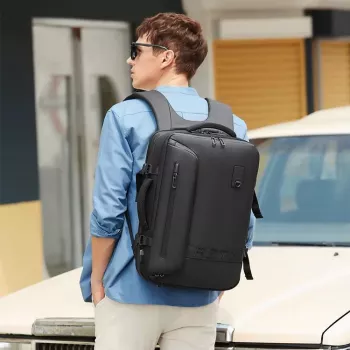
If you want a single-bag solution aimed at secure daily carry, commute-ready organization, and practical charging support, consider the Waterproof Anti-Theft Laptop Backpack with USB Charging – 15.6″ Travel & School Bag.
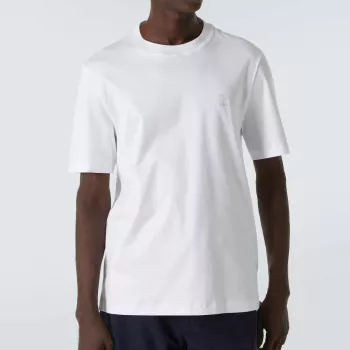
For a simple travel add-on that pairs well with a carry-on backpack, the Brunello Cucinelli Cotton T-Shirt is an easy pack-and-go staple for layering.
FAQ
Does the USB port charge devices by itself?
No. The USB port is a pass-through: you place a separate power bank inside the backpack, connect it to the internal cable, and then plug your phone cable into the outside USB port.
Will it fit a 15.6-inch laptop with a case or sleeve?
It’s designed for up to 15.6″ laptops, but a case or sleeve adds bulk. Measure the laptop plus sleeve thickness and leave enough room so the zipper closes easily without forcing the corners.
Is “waterproof” the same as fully submersible protection?
No. Water-resistant bags handle rain and splashes, but they are not intended for immersion or prolonged exposure. For heavy storms, add a rain cover or seal sensitive electronics in an inner pouch for extra protection.














Leave a comment