1080p Android 11 Mini Projector: Auto Focus, 4K Input
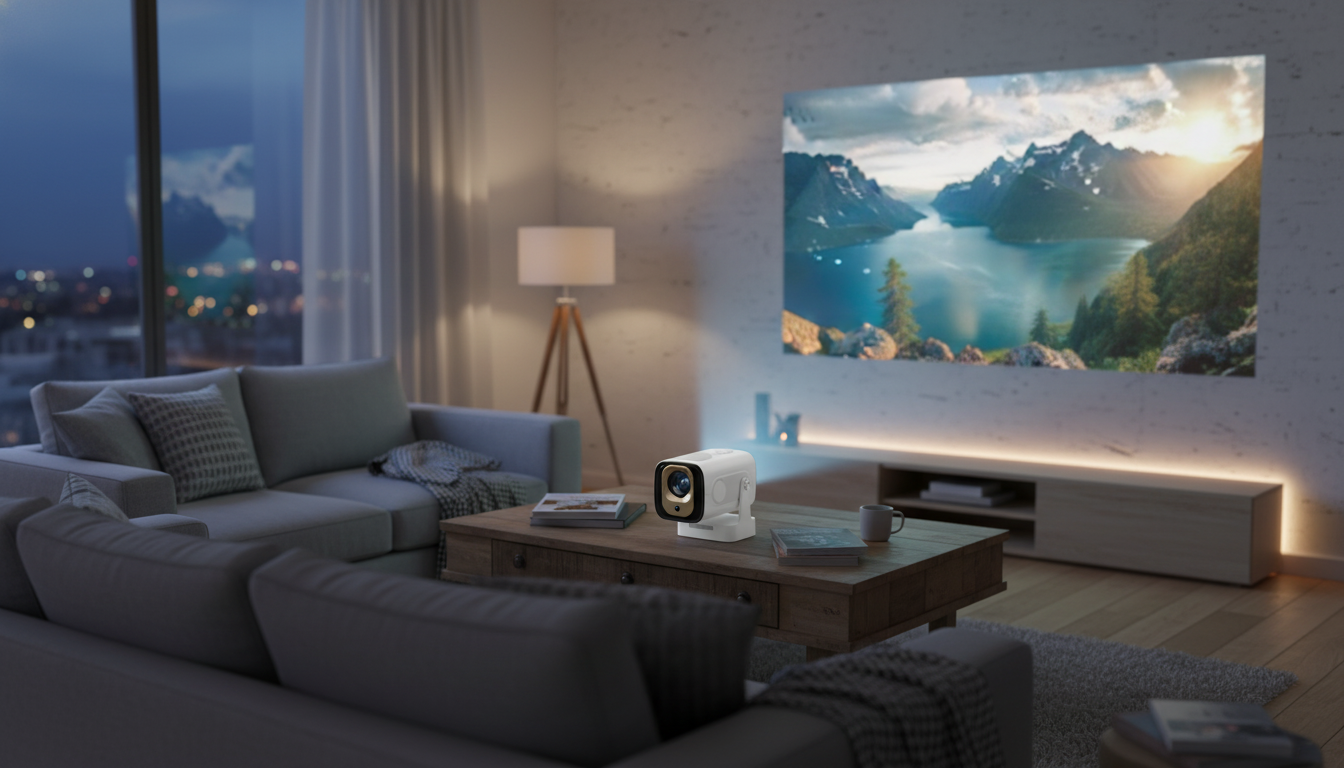
1080P Full HD Auto Focus Mini Projector with 4K Support and Android 11: what it’s made for
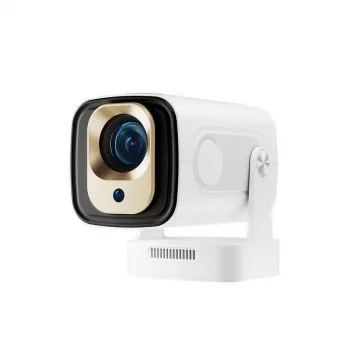
A mini projector is at its best when it removes friction: fewer cables, less fiddling, and a fast path from “power on” to “play.” The 1080P Full HD Auto Focus Mini Projector with 4K Support and Android 11 is built around that idea—compact enough for a nightstand or travel bag, sharp enough for subtitles and slides, and convenient enough to stream directly through Android 11 (app availability varies by region and service).
Below is a practical breakdown of how 1080p playback, 4K input support, auto focus, and Android 11 typically translate into real-life use—movie nights, casual gaming, and occasional presentations—plus a quick setup checklist to help you get a cleaner, brighter image without buying extra gear.
Quick overview: what this mini projector is built to do
- Simple setup: Auto focus reduces the trial-and-error of manual lens adjustment, especially when you move it from room to room.
- Flexible entertainment: Android 11 enables streaming apps and local media playback directly on the projector (availability varies by app/region).
- Modern source friendly: It can accept 4K signals from popular devices and then scale content to the projector’s native output.
- Small-space ready: Useful for bedrooms, dorms, apartments, travel, or controlled-light backyard viewing.
Picture quality basics: 1080p playback and 4K support explained
1080p Full HD is the core sweet spot for many mini projectors because it keeps text and fine edges clearer than 720p on typical wall and screen sizes. If the goal is comfortable reading for menus, subtitles, or presentation bullets, 1080p is a meaningful step up for perceived crispness at normal viewing distances.
4K support usually refers to input compatibility. That means a 4K-capable device (like a streaming box, laptop, or console set to 4K output) can connect, and the projector will downscale the image to match its native output. This is still useful: it reduces “will it connect?” headaches and lets modern devices negotiate a signal successfully. For a quick primer on HDMI signaling and capabilities, see the HDMI Specification Overview.
The quality you see is also heavily influenced by the room and the source. Higher-bitrate streams and clean local files look better than heavily compressed video, and a flatter, lighter-colored wall (or a dedicated screen) helps maintain uniform focus and contrast. If the image feels dim or soft, reducing the image size by moving the projector closer often improves perceived sharpness and brightness.
Common source devices and what to expect
| Source | Connection idea | Typical outcome |
|---|---|---|
| Streaming apps on Android 11 | Install and sign in (app support varies) | Convenient playback without extra hardware |
| 4K streaming stick/box | HDMI input | 4K input accepted; displayed at projector output resolution |
| Laptop/PC | HDMI input | Reliable for presentations, web, and local video |
| Game console | HDMI input | Playable for casual gaming; adjust settings for latency and resolution |
Auto focus in real life: speed, stability, and placement tips
Auto focus earns its keep when the projector gets moved a lot: from living room to bedroom, from countertop to tripod, or from home to a friend’s place. Instead of twisting a focus ring and stepping back repeatedly, you can typically set the unit down, let it lock focus, and start watching.
- Use a stable surface: If the table wobbles or the projector vibrates, some units may “hunt” for focus or drift slightly. A firm shelf or sturdy table helps maintain consistency.
- Minimize extreme angles: Projecting sharply upward or sideways increases the need for digital correction, and digital keystone can reduce edge sharpness.
- If the image looks soft: Gently clean the lens, reduce keystone corrections, then re-run focus after changing distance. If possible, align the projector more squarely to the wall or screen to keep corners more uniform.
Android 11 features: streaming, casting, and everyday usability
Having Android 11 onboard can turn a projector into a more self-contained entertainment hub. Instead of relying on an external stick or box, many viewers can install apps, sign in, and launch content directly. For a general overview of the platform, reference the Android 11 overview.
- App availability varies: Streaming services can differ by region, licensing, and device compatibility. Keeping firmware updated can help improve stability and app support over time.
- Bluetooth audio is a practical upgrade: If supported, Bluetooth pairing makes it easy to use a speaker or headphones. Built-in speakers work for casual viewing, but a dedicated speaker usually adds clearer dialogue and more impact.
- Control matters: A responsive remote is important for couch use; for heavy typing (search, passwords), a small wireless mouse/keyboard can make navigation feel much faster.
Setup checklist for a better image (without extra accessories)
Where it fits best: use cases that match a mini projector
Product snapshot: pricing, availability, and what to confirm
Current listing details (at a glance)
| Item | Detail |
|---|---|
| Product | 1080P Full HD Auto Focus Mini Projector with 4K Support and Android 11 |
| Price | 50.82 USD |
| Availability | In stock |
| Product page | View details |
Other in-stock picks
- Brunello Cucinelli Cotton T-Shirt
- Cozy Striped Baby Romper Jumpsuit for Newborns & Infants 0-18 Months
- Toddler Baby Goose Embroidered Knit Sweater – Cozy Fall & Winter Pullover
FAQ
Does 4K support mean it projects in 4K resolution?
No. “4K support” typically means it can accept a 4K input signal from a connected device, then downscale and display it at the projector’s native output resolution.
Will streaming apps work on Android 11 without an extra device?
Many apps can run directly on Android 11, but availability and performance depend on the app, region, and software updates. If a specific service isn’t compatible, using an HDMI streaming stick is a common workaround.
How can the picture look sharper if the edges are blurry?
Reduce keystone correction, align the projector more squarely to the wall or screen, and re-run auto focus after repositioning. A flatter projection surface also helps keep corners more consistent.













Leave a comment